
Daily Basic Maintenance
Environmental and Exterior Inspection
After cutting off the power, wipe surface dust from the display using a soft, lint-free cloth; spraying the screen directly with a water jet is strictly prohibited.
Check the area surrounding the display for accumulated water or debris, and promptly clear any obstructions blocking the ventilation and heat dissipation vents.
Visually inspect the image for anomalies such as dead pixels, uneven color patches, or screen flickering.
Basic Wiring Check
Inspect exposed power and signal cables for signs of insulation damage, loose connections, or oxidation/rust.
Verify that the power grounding label is intact and that there are no exposed live components.
Monthly Routine Maintenance
Cleaning and Dust Removal
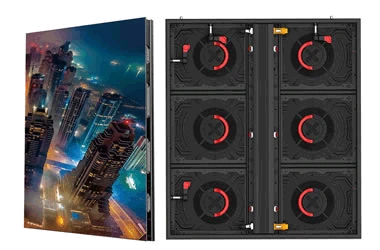
Use a vacuum cleaner to remove accumulated dust from the rear dust filters and cooling fans to improve heat dissipation efficiency.
For stubborn stains, spray a specialized cleaning agent onto a lint-free cloth and gently wipe the module mask in a single direction; do not spray directly onto the display unit.
Structural and Functional Verification
Tighten the display assembly screws and external mounting hardware using even pressure to prevent loosening at height.
Test preset functions-such as brightness adjustment, program switching, and scheduled start/stop-to ensure they are operating correctly.
Power on the screen for at least two hours to drive out internal moisture and prevent component corrosion caused by dampness.